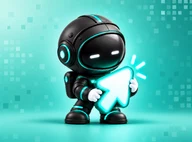
Animate an existing mascot
Already have a character? Upload it rather than generating a new identity. Remove its background, give it a short motion prompt, and check that its shape, colours and features stay recognizable.
MascoAI is an animated mascot generator for short character motions. Our AI mascot animation generator starts with a mascot you create or upload, then uses a motion prompt such as “wave hello” or “celebrate.”
Create an animation →Make one with the mascot maker or upload artwork you already own.
Write one clear motion, such as a wave, bounce or turn. Review the result for character consistency.
Download the transparent video or derive a GIF, APNG, frames and sprite sheet from the finished animation.
Already have a character? Upload it rather than generating a new identity. Remove its background, give it a short motion prompt, and check that its shape, colours and features stay recognizable.
A transparent WebM can sit over your own page colours without a rectangular video background. Preview it on the actual surface where you plan to use it.
After a video is ready, export a GIF for places where a simple looping image is useful. GIF transparency and colour are limited compared with WebM or APNG.
Export PNG frames or a sprite sheet with JSON when your app or game needs to control playback itself.
For a mascot that responds to visitors instead of playing a fixed video, explore the interactive website mascot.